
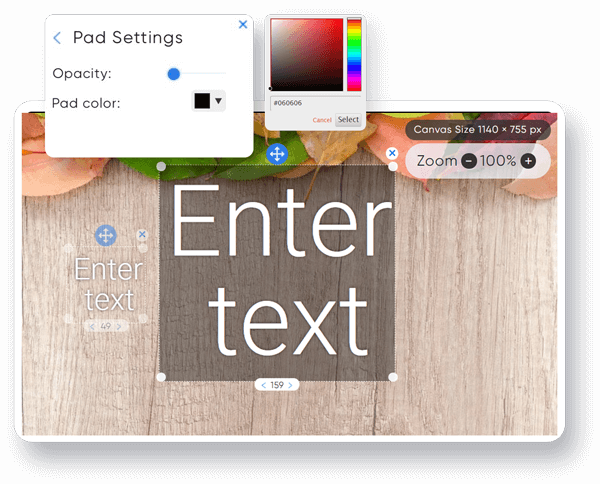
Add Text to Image Online
Easily add custom text to your images. Create memes, captions, and branded content with our simple online editor.
Frequently Asked Questions
How do I add text to an image?
Simply upload your image using the “Upload Image” button, enter your desired text in the text field, customize the font, size, and color using the options provided, and then click “Add Text” to position it on your image. You can then drag and resize the text as needed.
What image formats are supported?
Our tool supports all common image formats including JPG, JPEG, PNG, GIF, and WebP. The final image will be downloaded in PNG format to preserve quality.
Can I change the font size and color?
Yes, you can adjust the font size (from 10px to 200px), color, and font family using the input fields provided. You can also select from multiple font options including Arial, Verdana, Georgia, and more.
How do I download my image?
Once you’re done adding and positioning your text, click the “Download Image” button to save your image with the text overlay. The image will be downloaded in PNG format with high quality.
Can I clear my changes?
Yes, simply click the “Clear All” button to reset the canvas and start over. This will remove both the uploaded image and any text you’ve added.
Is my data secure?
Yes, all processing happens directly in your browser. Your images are never uploaded to any server, ensuring complete privacy and security.
Can I add multiple text elements?
Absolutely! You can add as many text elements as you want by clicking the “Add Text” button multiple times. Each text element can be individually customized and positioned.
Is this tool free to use?
Yes, our image text editor is completely free to use with no hidden costs or watermarks on your final images.
About Our Image Text Editor
Our online image text editor makes it simple to add text overlays to your photos and images. Whether you’re creating memes for social media, adding captions to personal photos, or creating branded content for your business, our tool provides all the essential features you need.
With a user-friendly interface and no registration required, you can quickly add custom text to images in just a few clicks. All processing happens directly in your browser, ensuring your images remain private and secure.
Key features include:
- Multiple font options and customizable text properties
- Drag and drop positioning of text elements
- Resizable text with scaling options
- Support for all common image formats
- High-quality PNG downloads
- Completely free with no watermarks